Classic 3-tree talent calculator
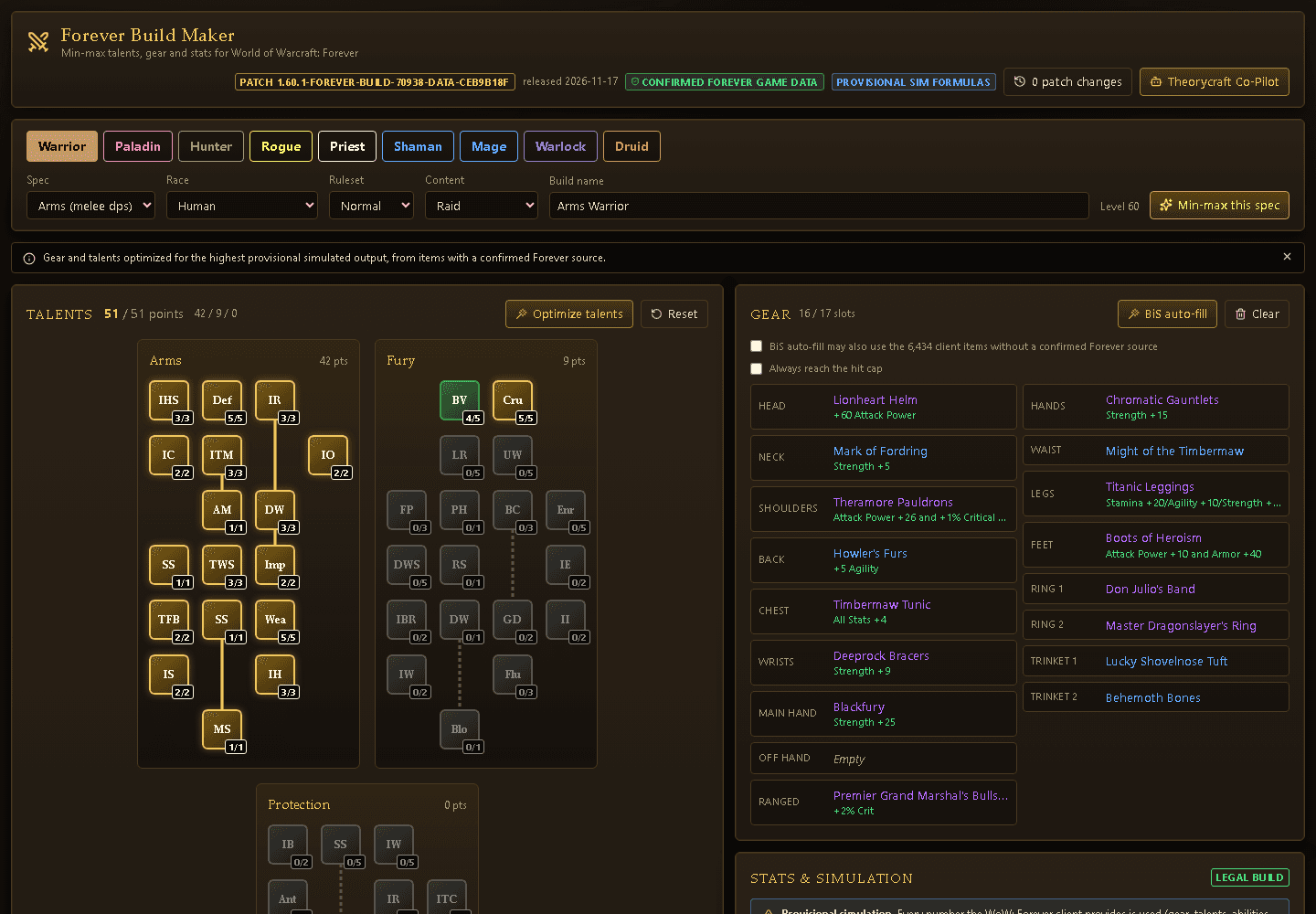
Every Forever talent with its exact per-rank values. Tier unlocks, prerequisites and point budgets are checked as you click.
Plan talentsFree for World of Warcraft: Forever
Plan talents, gear and stats with confirmed WoW: Forever data, simulate them with deterministic math, and import the result into the game with one paste. No account, no paywall.
Explore it all for free
Every feature below is live in the web app. Click one to try it.
Every Forever talent with its exact per-rank values. Tier unlocks, prerequisites and point budgets are checked as you click.
Plan talentsA constraint solver fills every slot: hit, defense and resistance caps first, then your stat weights, from confirmed Forever loot only.
Fill a paperdollAttack power, spell power, crit, hit, armor and regen from unit-tested formulas. No guessed numbers - provisional formulas are labelled.
See the numbersHotfixes and patch notes are parsed into buffs and nerfs, cloned into a new patch version and every build is re-checked.
View patch changesAsk about your build. Answers use the same verified database and simulations, never made-up numbers.
Ask the Co-PilotForever Build Sync imports the build, shows what differs from your character and learns the talents for you.
Get the addonIn-game companion
The addon reads your character on the Forever client, compares it with the build from the web app and learns the talents for you.
ForeverBuildSync-1.1.0.zip
Version 1.1.0 · WoW: Forever 1.60.1 (interface 16001)
ForeverBuildSync folder into World of Warcraft/_forever_/Interface/AddOns./fbs.Slash commands
/fbs/fbs import/fbs apply/fbs export/fbs ruleset standard|pvp|hardcore/fbs content raid|dungeon|pvp|levelingBuild strings are longer than the 255-character chat limit, so always paste them into the addon window, never into chat.
FAQ
Yes. The Build Maker and the Forever Build Sync addon are free. Blizzard's add-on policy requires add-ons to be free, so supporting the project is an optional donation that unlocks nothing in game.
The WoW: Forever client (interface 16001, patch 1.60.1). Forever runs the modern client and its trait-based talent system, which the addon uses to apply builds.
Only from sources confirmed for WoW: Forever: the live client tables, client tooltips, Blizzard posts and real-player data. Formulas Blizzard has not published are marked as provisional in the app.
In the Build Maker press Copy addon string in the Share panel. In game type /fbs import, paste it into the window with Ctrl+V, press Import, then Apply Talents.
No. Builds live in your browser and in share links. Supporters check out through SellAuth with just an email.